

Can AI bring life back to a small-size, faded image? Here’s what happened.
Case
We ran an experiment to restore an old monochrome photo using three different BabySea features, and the results were eye-opening. (The original image sample was sourced from a Threads post and was very small in size with extremely limited detail).
Input

Image 1
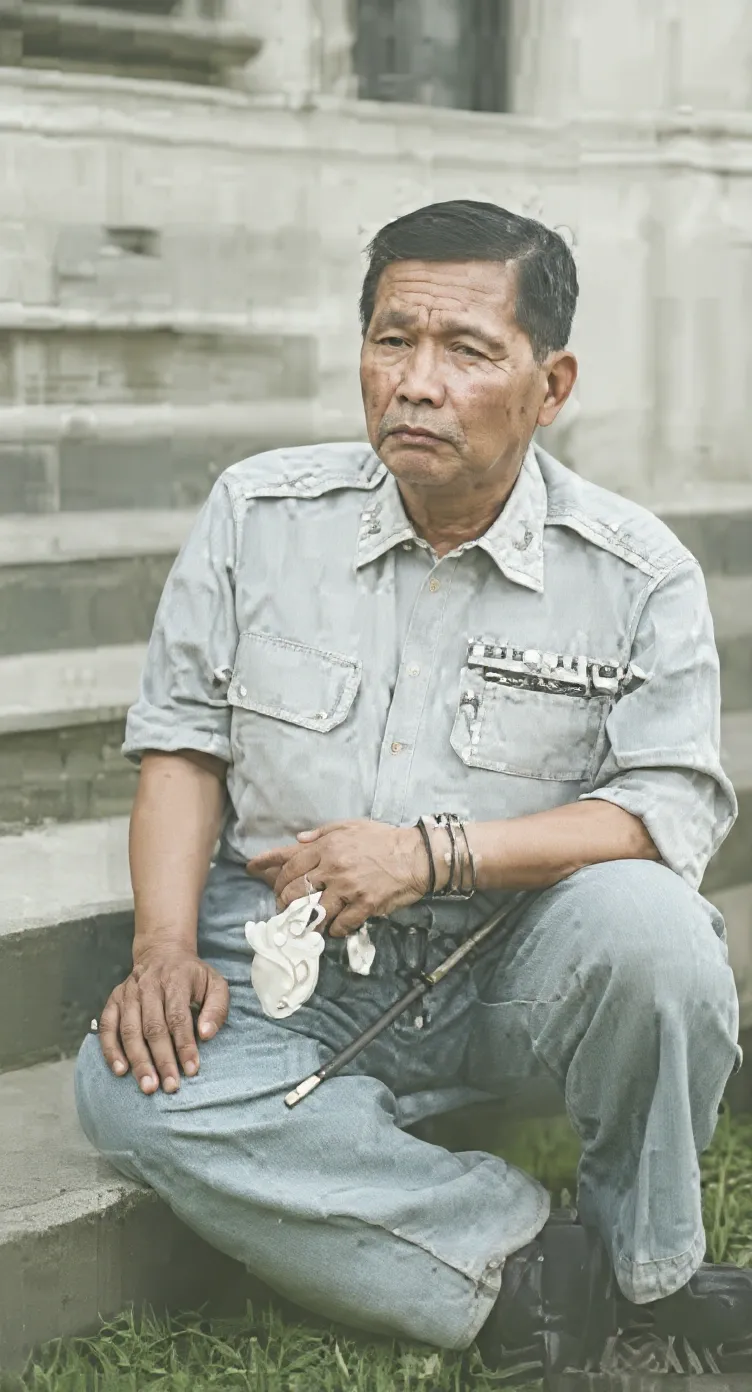
Approach:
- Feature: Fixy
- Style: Restore Photo
- Quality: Fine
Designed for light restoration using Flux Kontext Apps. It added color and some sharpness, but the tones looked muted and the overall image still felt flat. Not suitable for heavy restoration, but works if your photo only needs a light touch-up.
Image 2
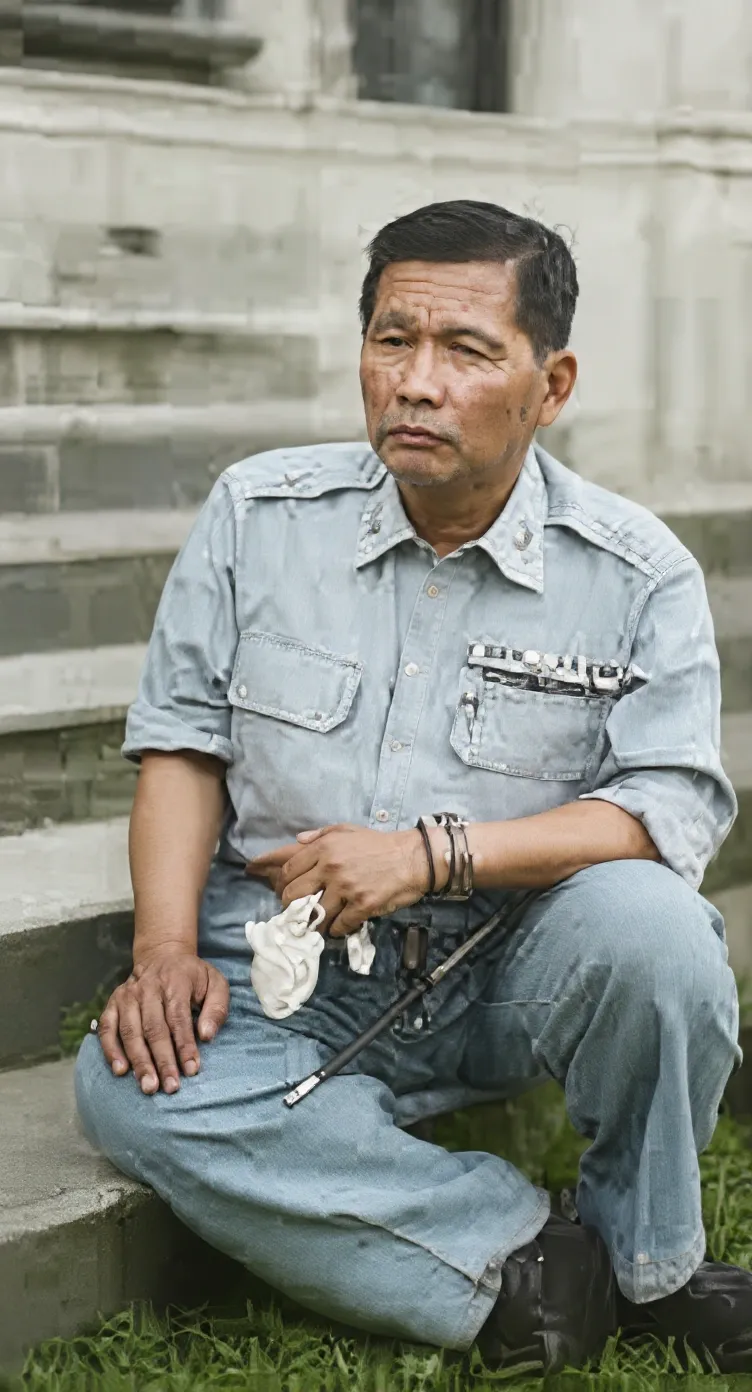
Approach:
- Feature: Fixy
- Style: Transform
- Quality: Ultra
Built for deeper enhancement with Flux Kontext Max. This version improved contrast and color saturation, making the uniform and background more vivid. However, the texture still appeared artificial and lacked full authenticity. Not recommended for photo restoration.
Image 3
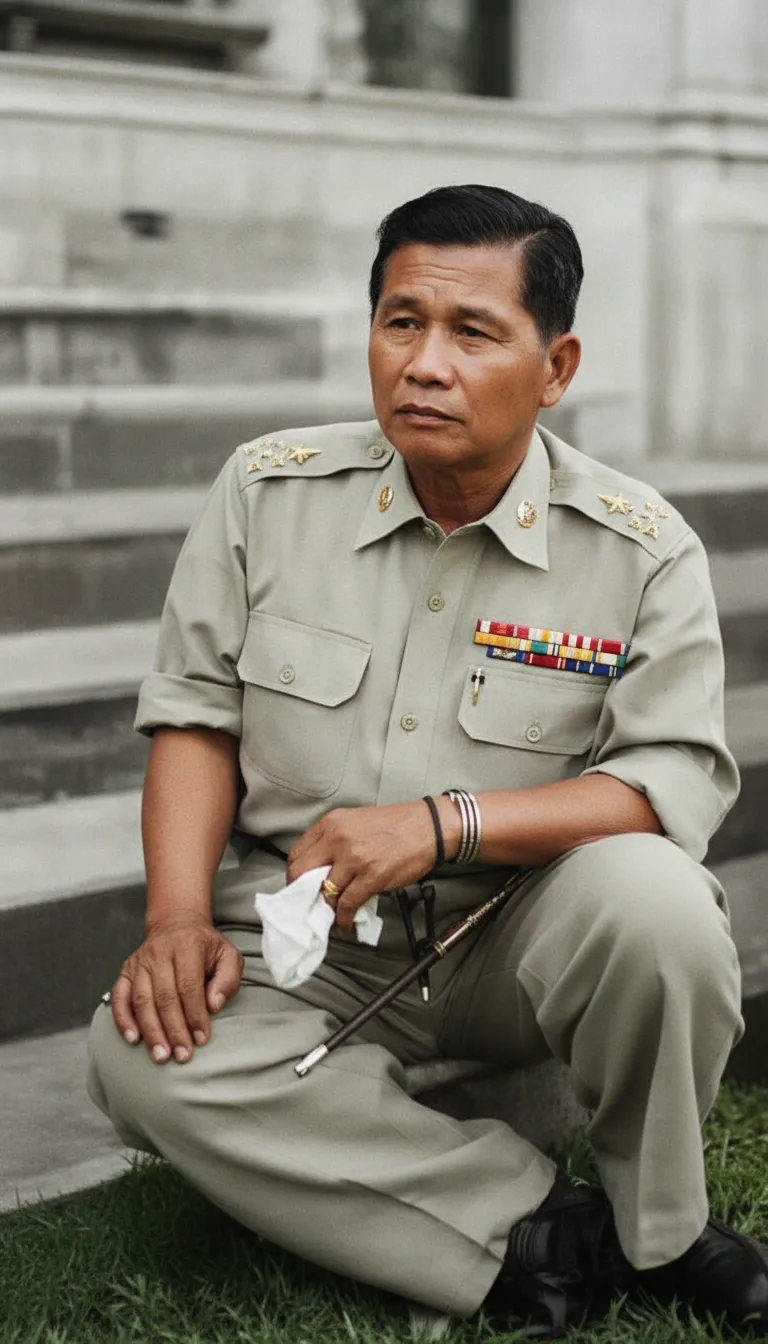
Approach:
- Feature: Maker
- Style: FreeContext
- Quality: Fine
Used a simple prompt: “Enhance, colorize, and fix the image”. Powered by Nano Banana, the outcome was stunning. Maker didn’t just restore - it reimagined the photo with natural colors, realistic lighting, and crisp details. The uniform looked authentic, the medals were sharp, and the entire composition felt like a modern photograph.
Conclusion
In short, Fixy works for quick fixes, but Maker is the best choice for heavy restoration when you want a truly lifelike result - even starting from a very small, low-quality image.
✅️ Simple, One-Time Payment
No subscriptions. No monthly fees. Just grab credits when you need them - they never expire.
👉 Get started at babysea.ai ➜ your first 10 credits are free!